Should You Buy the Aorus Fv43U in 2026? A Deep Dive
Introduction — Why I bought a 43" gaming monitor
I've been using the Aorus FV43U for well over six months now, and I wanted to write down a full, candid account of my experience before deciding whether it's still worth buying in 2026. I bought this monitor because I wanted a single screen that could serve as a living-room-sized PC display, a console TV replacement, and my primary gaming monitor for fast-paced competitive titles. What I found was a product that excels in some areas and shows its age in others — and a lot comes down to how you plan to use it.
What the FV43U is (in my experience)
In my setup the FV43U lived on a large desk and later on a low TV stand. My main PC is a high-end machine capable of 4K gaming with a recent GPU, and I also hooked the monitor up to a PS5 and an Xbox Series X for console testing. Over the months I used it for competitive shooters, single-player titles with rich visuals, HDR movie nights, and productivity (splitscreen, terminal windows, and spreadsheets). That mixed usage is what revealed the monitor’s strengths and weaknesses to me.
Day-to-day impressions
Right away I noticed that the sheer scale of a 43-inch 4K panel changes how you interact with the desktop. At a normal desk distance of roughly 30–36 inches, the pixel density is lower than a 27" 4K display, but text remains quite readable and the extra space is genuinely useful for multitasking. For gaming, the immersion factor is high — large scenes and distant detail are much more present than on smaller displays.
As a gaming panel, the FV43U felt great for most modern titles. I regularly hit 120 Hz in many games by enabling performance modes like DLSS or FidelityFX and dropping a few graphical settings in the most demanding scenes. The monitor's high refresh capability is a major differentiator versus standard 60 Hz 4K panels.
HDR performance is one of the more nuanced aspects: dark scenes look deep thanks to the VA contrast, but local dimming and blooming around bright objects are visible in HDR content. With movies I appreciated the contrast and punch, but in titles with small high-contrast highlights I noticed halos. Color out of the box was decent for SDR work, and after calibration the panel is very satisfying for color-accurate photo and video work when you accept its VA characteristics.
Build, ergonomics, and OSD
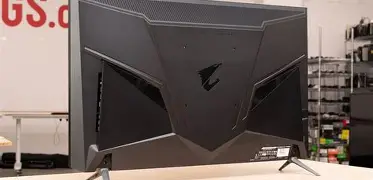
The FV43U is solid and heavy. The stand is stable — it resists wobble and keeps the screen planted even when I nudge the desk. I used the monitor with the included stand and later switched to a VESA arm for more flexibility; the monitor supports VESA and that made the setup much better in my living-room configuration.
The OSD is accessible and the joystick control is intuitive. There are a lot of picture presets and gamer-oriented features; I found myself disabling many of the aggressive sharpening and “dynamic” modes and making small manual adjustments to the gamma and color temperature. Over the months the firmware updates I installed improved a few quirks (I’ll get to HDMI/VRR below), but I still recommend spending an hour on calibration if you care about accurate colors.
Performance deep dive
Refresh rate and motion
The FV43U’s high refresh capability is what sells it. In my experience, 100–144 Hz gameplay is buttery smooth and transforms competitive shooters and fast-paced racers. There is a tradeoff: because this is a VA panel, you will sometimes see more trailing and smear on very fast-moving dark objects compared with a high-refresh IPS panel. That said, the monitor's overdrive controls let you dial in a balance where inverse ghosting is minimal and motion clarity is very good for most players.
Discover deals on Electronics — updated daily.
View Offers →HDR and contrast
One thing I appreciated immediately was the deep blacks thanks to the VA contrast. HDR highlights pop when the scene is designed well and when the local dimming algorithm handles it. One thing that bothered me was haloing around bright objects on dark backgrounds — these halos are most obvious in scenes with small bright details (HUD elements, specular highlights in night scenes). For movies in a dim room I enjoyed the immersive contrast; for critical HDR grading the FV43U is only acceptable, not ideal.
Input and console compatibility
In my testing the monitor handled PC inputs over DisplayPort for 4K 144 Hz and consoles over HDMI 2.1 for 4K 120 Hz well enough. I used high-quality HDMI 2.1 cables and made sure consoles were set to enable variable refresh and the manufacturers' “performance” modes. Early on I experienced intermittent VRR hiccups with one console; a firmware update and toggling certain settings resolved it. My takeaway: expect to tinker a bit on setup if you plan to use multiple HDMI 2.1 sources.
Color and calibration
Out of the box the color is pleasant and punchy, but not professionally calibrated. I used a SpyderX Pro to profile the monitor and the results were solid for SDR workflows. Calibrated, the FV43U handled photos and general video editing really well once I accepted the panel’s gamma curve and contrast attributes. If you do color-critical work, the monitor is usable — but an IPS reference display will still be better for skin tones and critical editorial work.
Pros & Cons
- Pros:
- Immersive 43" 4K canvas — excellent for gaming and multiscreen-style productivity.
- High refresh rate (usable 120–144 Hz) gives very smooth gameplay when your GPU can keep up.
- Strong VA contrast makes dark scenes and movies look satisfying in dim rooms.
- Robust build quality and VESA compatibility; weighs and feels premium.
- Good range of gamer features, useful OSD, and firmware updates that improved some behaviors.
- Cons:
- VA panel smear/ghosting in very fast-moving dark scenes — not as clean as top-tier IPS gaming panels.
- HDR blooming and haloing around small bright objects are noticeable in some content.
- Out-of-the-box color needs calibration for pro work; some users will want to profile it.
- Size can be too large for a cramped desk; careful planning required for ergonomics and viewing distance.
- Some initial HDMI/VRR quirks that may require firmware updates or fiddling with settings.
How the FV43U compares (quick table)
I found it useful to compare the FV43U with a couple of other 43-inch-ish options I considered. This table summarizes my impressions rather than an exhaustive spec sheet.
| Model | Panel Character | Refresh Rate | HDMI 2.1 | HDR | Best for |
|---|---|---|---|---|---|
| Aorus FV43U | VA — deep blacks, noticeable smear | 120–144 Hz (high-refresh) | Yes — works well after tuning | Strong SDR; HDR punchy but haloing | Mixed console/PC gaming, movie nights, productivity |
| General 43" IPS high-refresh competitor | IPS — less smear, wider viewing angles | 120–144 Hz | Some models support HDMI 2.1 | Cleaner highlights, less haloing; lower contrast | Competitive gaming where motion clarity and color are critical |
| Smart 43" 4K TV-like monitor | VA/IPS — consumer-focused | 60–120 Hz | Often 2.1 on newer models | Good for streaming but not always gamer-tuned | Primary TV replacement, streaming, casual gaming |
Buying guide — who should consider the Aorus FV43U in 2026
In my experience the FV43U is a specific kind of monitor: big, high-refresh, and optimized toward a mixed living-room/PC use case. Here’s how I think about who should and shouldn’t buy it today.
Buy it if:
- You're looking for a single display that can replace both a gaming monitor and a living-room TV for a small space.
- You want 4K at high refresh and you have a GPU or console workflow that can take advantage of 120/144 Hz.
- You value deep contrast for movies and dark-room gaming and can tolerate some HDR haloing.
- You plan to calibrate the display for better color accuracy or accept minor out-of-the-box tuning.
Don't buy it if:
- You need the absolute lowest motion blur possible for competitive, high-FPS play and you’ll sit very close — a 27" 4K or 27–32" high-refresh IPS may be better.
- You require flawless HDR with many local dimming zones and perfect highlight handling for pro grading work.
- Your desk setup cannot accommodate a 43" panel at the correct viewing distance — size matters more than specs here.
Practical checklist before you buy
- Measure your desk and seating position to confirm a 43" screen suits your viewing distance.
- Ensure your GPU and cables support the bandwidth you want (DisplayPort 1.4 or HDMI 2.1 certified cables for 4K120+).
- Plan for calibration (hardware calibrator or at least basic manual OSD tuning) if you care about color accuracy.
- Check the return policy — because panel uniformity and local dimming behavior can vary unit to unit, it’s good to have a window to test in your environment.
- Look for firmware update history or community feedback on VRR/HDMI issues if you plan to use consoles heavily.
Real-world examples from my use
To give you a concrete sense: I spent an evening playing a fast competitive shooter and I could feel the benefit of higher framerates — tracking felt smoother and visual input lag was lower than on a 60 Hz screen. However, when a dark-ambient map had bright muzzle flashes, I noticed smear trails on quick panning movements; dialing the overdrive down one notch removed most of it but slightly softened the image. For cinematic single-player games and movies, the depth of blacks added to immersion and I preferred watching films on this monitor to my living-room TV for its sharpness and dynamic feel.
On the console side, the PS5 reached 120 Hz in supported modes and the experience was excellent once I enabled performance modes in game settings. Initially, I had to toggle a few settings to stop a VRR stutter on one console; after a firmware patch the behavior improved. That is to say: plan for some setup patience if you mix many sources.
Find top-rated Electronics products at great prices.
View Offers →Longevity and software support
Over the months the update cadence from the manufacturer improved some behaviors I noticed at first — especially around HDMI compatibility and VRR. I can't promise future firmware changes, but my experience was that the company released updates that were easy to apply and that addressed some of the early annoyances. If long-term software support matters to you, check recent forums and support channels for the latest reports before purchasing.
Final thoughts — should you buy the Aorus FV43U in 2026?
After using the FV43U for many months I can say this: I still enjoy having a single, large, high-refresh 4K screen. The monitor hits the sweet spot for me when I want one display that doubles as a gaming screen and a media center. The strong VA contrast and high refresh rate make for a compelling entertainment and gaming experience.
That said, the FV43U is not perfect. If you need the lowest possible motion blur for esports, or you require pristine HDR for professional color work, there are other panels better suited to those narrow needs. Also, because it’s a large VA panel, expect occasional smear and HDR haloing — nothing catastrophic, but noticeable if you're sensitive to those artifacts.
In my experience, if you want a living-room-sized monitor that is also a legitimate gaming screen and you are willing to calibrate it and tweak a few settings, the Aorus FV43U remains a solid choice in 2026. If your priorities are uncompromising HDR, the absolute best motion clarity for competitive play, or the tightest pixel density at close distances, look at alternatives in the 27–32" IPS high-refresh or higher-end HDR TV categories instead.
Buying this monitor is about matching strengths to needs. For me, the immersion and utility won out — and I still find myself reaching for it for both work and play.